For IG-XL test engineering teams
ATE·IQ's agent works beside the program you have open. It reads every sheet, the live VBA with your unsaved edits and the cell you are on; it answers from your spec, load board and production data with tools that compute rather than recall; and it stages edits you preview, apply and revert in the workbook. Around it sits the whole test-engineering loop — spec to program, board and production data — checked by machine on your own machine.

The questions an IG-XL engineer brings every day — answered from the program in front of you and the data behind it.
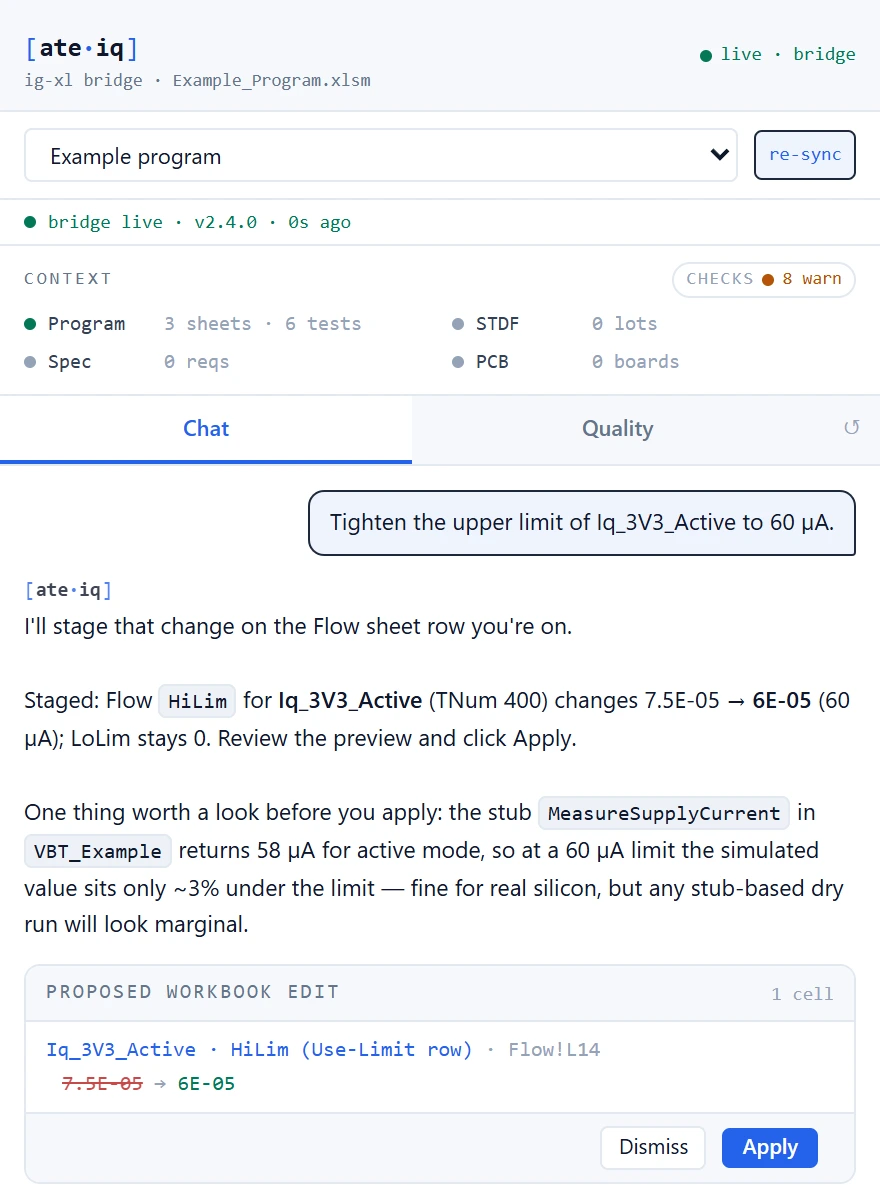
“This limit” is the cell you are on. The agent stages the change on the row IG-XL reads limits from, shows the before and after, and waits for your Apply. Revert puts it back.
It reads the module's current source from the open editor, unsaved edits included, and looks up IG-XL API and instrument facts in its built-in knowledge before it proposes a VBA change.
It sets the spec, the program's flow limit and the limit each lot ran side by side, from the same reconcile the traceability dashboard uses, and names who owns each mismatch.
It reads the STDF — yield by site and bin, first-fail paretos, per-test Cpk and outliers — with deterministic tools, and builds a cause chain for the test you name.
It runs ATE·IQ's offline pre-flight checks on the open program and lists what it checked, and what only IG-XL itself can confirm.
Thirty-three rules review the modules, with findings at the exact line and a development or production profile to match the stage you are at.
The agent window opens in Edit mode, with the IG-XL knowledge tools and the workbook editor. Switch to Debug and it has all 35 tools and the project behind it. Live VBA, unsaved edits included, needs Excel's VBA project access, which the add-in installer turns on for your user. The agent's tools, and so its staged edits, need an Anthropic model today; with another provider the chat answers without them.
¹ Demonstration project for a small motion sensor with a 4-wire SPI interface: synthetic data with defects planted on purpose. The simulator run is a proof build — one site, simulated instruments, reads filled from the device model — so it is not a tester result.
The IG-XL agent
Click Open Agent on the ATE·IQ tab in Excel and the agent's window opens beside the workbook. While it is connected, the add-in streams the sheets and your cursor every few seconds and re-reads the VBA editor's current state as you work, so answers and edits start from what is on your screen, not from a stale saved copy. With a test program loaded in IG-XL, it has streamed the live sheets, VBA and cursor too.

Test programs
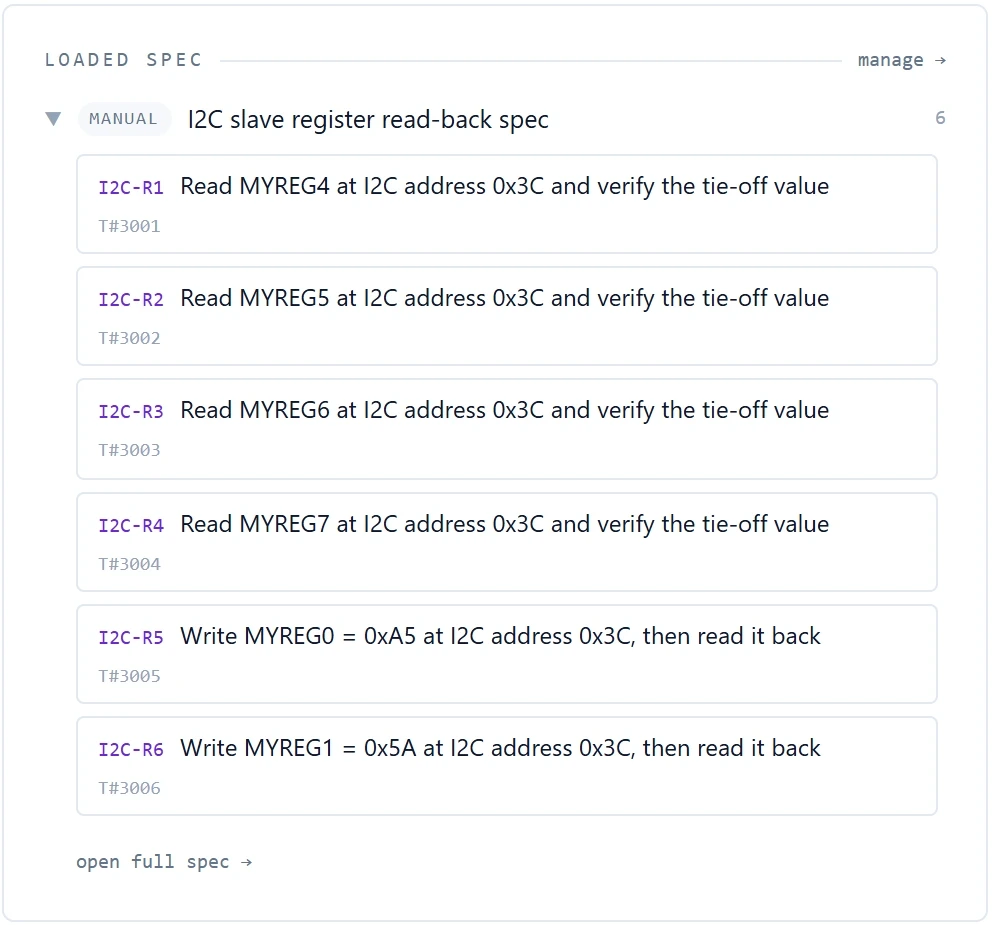
A datasheet, a requirements spreadsheet or a Jama Connect project becomes structured requirements with limits, forced conditions and test numbers. From those, ATE·IQ drafts a complete IG-XL project — sheets, VBT modules, digital patterns — checks it, repairs it, judges it against a model of the device, and can run it on IG-XL's own offline simulator. AI-written VBA is checked against the IG-XL API before you see it.

Load boards
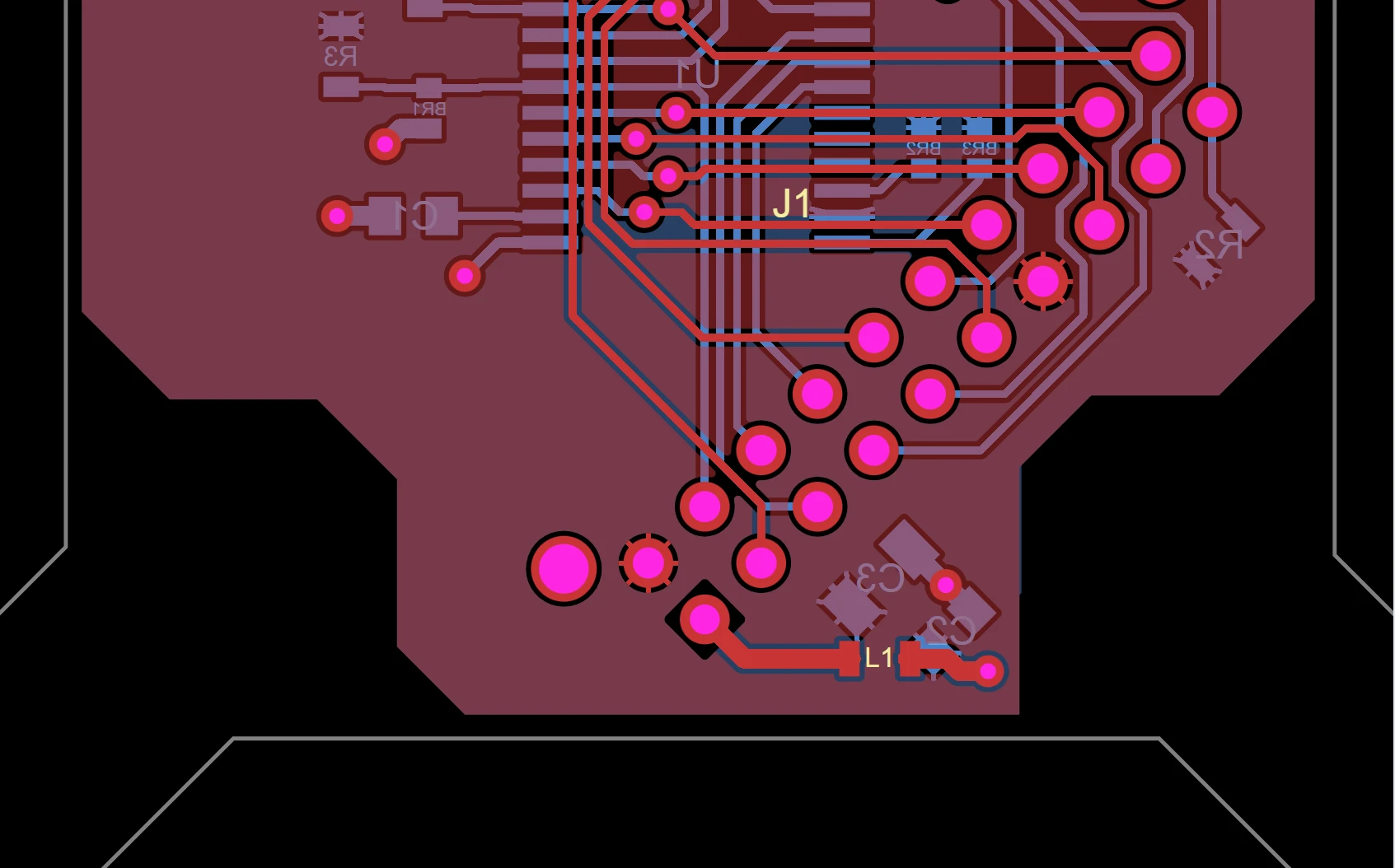
Allegro netlist and Fabmaster exports import natively, with no Cadence licence; IPC-2581, ODB++, Specctra DSN, KiCad and PDF schematics too. Every pin in the program's pin map is checked against the board's nets, the copper is measured, the 166-rule DIB check runs, and a DC operating-point check reports rail voltages at the DUT before the board is ever powered. Layout stays in your EDA tool; ATE·IQ never draws copper.

INDEX is the planted miss: the pin map names it, and the board has no net or pin for it.
Production data
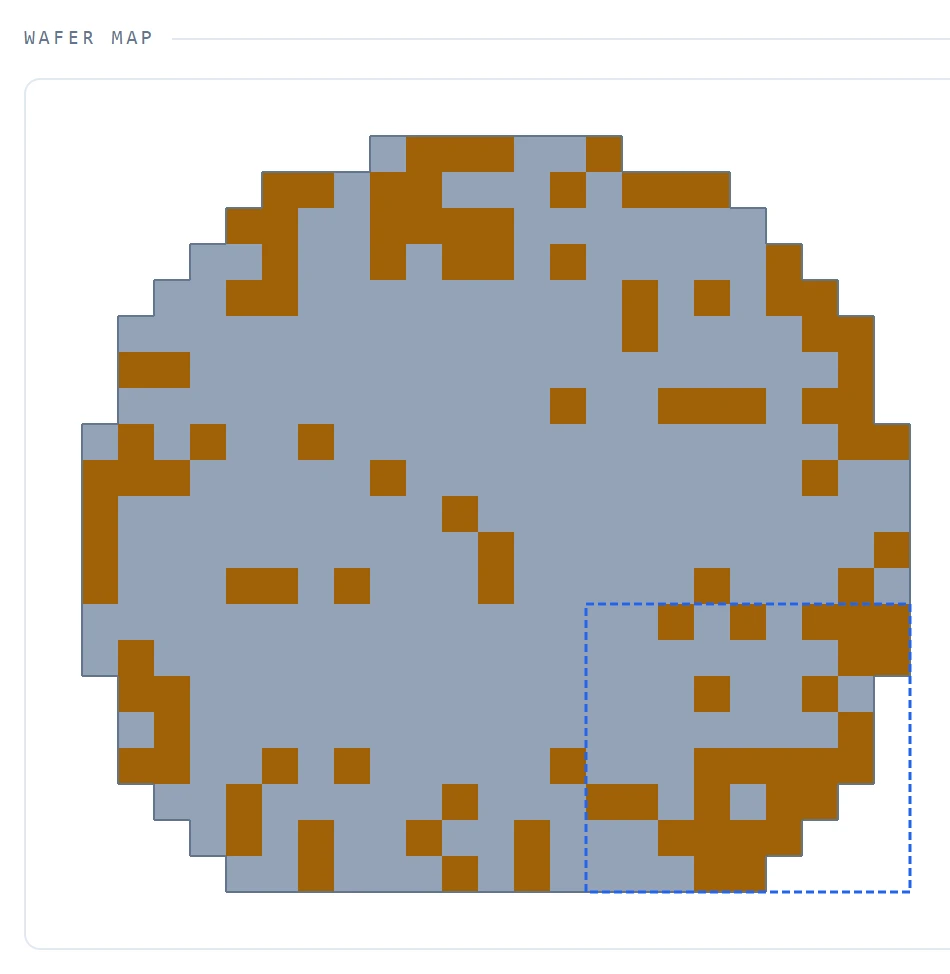
STDF V4 lots parse natively on the engineer's machine — yield by site and bin, Cpk, drift, wafer maps and outlier screens. The traceability dashboard joins every lot back onto the program and the spec and names the limit one of them no longer shares, and lot statistics become limit proposals that are never written for you.

Four pillars, and one agent across all of them.
Sheets, VBA with unsaved edits and your cursor, streamed while you work.
AgentFields, cell blocks and whole VBA modules — previewed, applied on your click, reversible.
AgentThe IG-XL knowledge tools also run as an MCP server for the AI assistant your team already uses.
Test programsSheets, VBT and patterns keyed to the spec's test numbers, checked and repaired before you see them.
Test programsGenerated and suggested VBA is checked against the IG-XL API and known instrument rules.
Test programsA model derived from files you have, or your own model connected over ATE·IQ's protocol, with a kit to check the connection.
Load boardsAllegro netlist and Fabmaster, IPC-2581, ODB++, Specctra DSN, KiCad and PDF schematics, read natively.
Load boardsPin match, the 166-rule DIB check, copper DRC and a DC operating-point solve of the board's rails.
Load boardsGerber and Excellon, a fab package, BOM, pick-and-place, KiCad and Specctra DSN, generated from the imported design.
Production dataYield, bins, Cpk, paretos, outlier screens and wafer maps from the binaries themselves.
Production dataLimit drift between the three is named, with the artefact that owns each number.
PlatformRuns on the engineer's machine with Anthropic, an OpenAI-compatible gateway or Azure OpenAI, on your keys.
A production test program is never one file: the limits live in a spec, the program in an IG-XL workbook, the board in your EDA tool and the proof in STDF files. ATE·IQ keeps all four in one workspace, joins them mechanically, and puts the agent where the engineer already works.
The test-program and production figures on this site come from one demonstration project: a small motion sensor with a 4-wire SPI interface, taken from a structured spec to a program IG-XL ran, and on to nine STDF files of synthetic production data with defects planted on purpose — so every finding can be checked against what was put there.
Offline is labelled offline: IG-XL remains the compile authority, and a simulator run is not a tester result. Proposals stay proposals: limit proposals never write a limit, and workbook edits wait for your Apply. Missing data says so: a surface without its inputs reads awaiting data, not "clean". The prose is the model's: the tools compute their figures deterministically, but the answer around them, tables included, is written by the language model you configured, so check a figure that matters against the tool. It does not draw copper: ATE·IQ reads, views and verifies the load board; layout stays with the EDA tool that drew it.
The useful first conversation is a walkthrough on your device and your tester: a spec you already ship, a workbook you already maintain, and the agent working in that workbook. Tell us what you are working on and we will reply within one business day.